
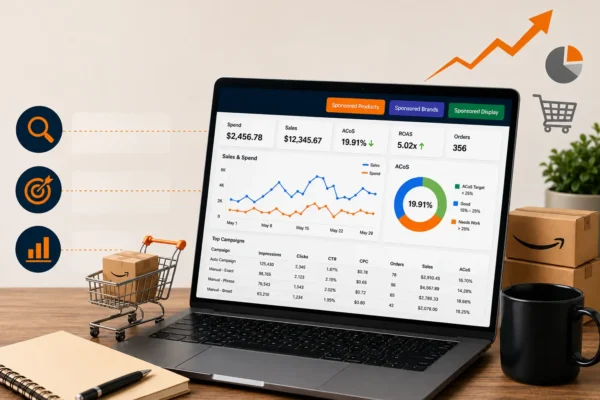
Amazon Sponsored Ads Management to Lower ACoS & Boost Sales
Running ads on Amazon sounds straightforward, until your ad spend starts climbing while your sales stay flat. Sound familiar?This is the reality for thousands of Amazon sellers who launch campaigns without a clear strategy. They burn through budget, watch their Advertising Cost of Sale (ACoS) rise, and end up with little to show for it. The problem is rarely the product. It is almost always the lack of proper Amazon Sponsored Ads Management. When done right, Amazon Sponsored Ads Management does not just drive traffic. It drives the right traffic. It puts your products in front of shoppers who are already looking to buy, reduces wasted spend, and contributes directly to revenue growth. In this guide, we break down everything you need to know about managing Amazon Sponsored Ads effectively, from campaign structure to bid strategy, so you can lower your ACoS and start building real, scalable sales momentum. What Is Amazon Sponsored Ads Management? Amazon Sponsored Ads Management refers to the end-to-end process of planning, setting up, optimizing, and scaling paid advertising campaigns on Amazon. It covers three core ad types that work together to maximize your brand’s reach across the marketplace. Sponsored Products remain the most popular advertising format on Amazon. These are cost-per-click (CPC) ads that appear directly in Amazon search results and on product detail pages. They are keyword-driven and designed to push individual listings to the top of relevant searches. Sponsored Brands help build brand recognition by showcasing your logo, a custom headline, and multiple products at the top of search results. These are available to brand-registered sellers and are highly effective for capturing shopper attention early in the buying journey. Sponsored Display ads allow you to reach audiences both on and off Amazon. They are used for retargeting shoppers who viewed your product but did not purchase, making them a powerful tool for recovering lost conversions. Together, these three formats form the foundation of a complete Amazon Sponsored Ads strategy that covers every stage of the customer journey, from discovery to decision. Why ACoS Matters (and What a Good Number Looks Like) ACoS, which stands for Advertising Cost of Sale, is the single most important metric in Amazon PPC. It tells you what percentage of your ad-attributed sales you are spending on advertising. ACoS Formula: (Ad Spend ÷ Ad Revenue) × 100 For instance, if you invest $200 in advertising and earn $1,000 in sales attributed to those ads, your ACoS would be 20%. A “good” ACoS depends on your product margins, but as a general benchmark: Below 15%: Highly profitable, excellent campaign efficiency 15% to 30%: Healthy range for most product categories 30% to 50%: Acceptable during launch or ranking phases Above 50%: A clear signal that campaigns need optimization The goal of professional Amazon PPC management is to bring ACoS down to a point where advertising becomes a growth tool, not a cost drain. This is achieved through precise keyword targeting, smart bid management, and ongoing campaign refinement. How to Structure Amazon PPC Campaigns for Maximum Performance Campaign structure is where most sellers go wrong. A poorly organized campaign makes it nearly impossible to track performance, control spend, or scale what is working. Here is the structure that works: 1. Separate Auto and Manual Campaigns Start with automatic campaigns to let Amazon’s algorithm discover which search terms convert for your product. Use this data to feed your manual campaigns with proven, high-performing keywords. Automatic campaigns are great for research. Manual campaigns are where you scale profitably. 2. Organize by Match Type In your manual campaigns, segment keywords by match type (Broad, Phrase, and Exact) into separate ad groups or campaigns. This gives you granular control over bids and prevents high-performing exact-match keywords from getting diluted by broad traffic. 3. One Product Per Ad Group Avoid mixing multiple products in a single ad group. When each ad group focuses on one ASIN, you can track performance clearly, adjust bids accurately, and write more relevant ad copy. 4. Use Negative Keywords Consistently Negative keywords ensure your ads are shown only to users searching for relevant terms. Failing to add negatives is one of the biggest causes of wasted spend in Amazon advertising. Review your search term reports weekly and build a strong negative keyword list from day one. Keyword Targeting: The Engine Behind Every Profitable Campaign Keyword strategy is the core of any successful Amazon advertising campaign. The right keywords connect your product with high-intent buyers. The wrong ones drain your budget on shoppers who will never convert. Start With Thorough Keyword Research Use a combination of Amazon’s own auto-campaign data, keyword research tools, and competitor analysis to build your initial keyword list. Look for terms with strong search volume and clear purchase intent, not just broad, generic phrases. Prioritize High-Intent, Long-Tail Keywords Long-tail keywords (those with three or more words) tend to have lower competition, lower CPCs, and higher conversion rates because they reflect more specific buyer intent. For example, “waterproof hiking boots for men size 10” converts far better than just “boots.” Balance Branded and Non-Branded Keywords Non-branded keywords capture new customers who do not yet know your brand. Branded keywords defend your territory and prevent competitors from stealing shoppers who are already familiar with you. A well-rounded strategy includes both. To learn more about how keyword-driven ad management drives product visibility, read our blog on How Amazon Sponsored Ads Management Helps You Increase Product Visibility. Bid Optimization: Spending Smarter, Not More Getting keyword targeting right is only half the equation. Bid optimization helps you strike the right balance by paying enough to secure ad placements without cutting into your profit margins. Understand Placement Multipliers Amazon allows you to set bid adjustments for Top of Search, Rest of Search, and Product Pages placements. Top of Search typically delivers the highest conversion rates but also the most competition. Use placement data to understand where your conversions are coming from and bid accordingly. Use Dynamic Bidding Strategically Amazon offers three bidding options: Dynamic…
